|
|
General information |
1. Software can support all screen resolutions. Start from 800 x 600 pixel
2. Software can working in multilanguage, user can translation to any language by yourself or download language file to import from website. | |

|
|
3. Software can working on 2 unit system both imperial (lbs., inch) and metric (kg., cm.). User can choose only one unit system on installation process.
4. Unlimited number and size of containers per loading (Multicontainer loading). | |

| |
5. Unlimited number and limit to 150 sizes of cargos per loading.
6. Provides a full export and import capability (from MS-Excel)
7. Lets you view the loading, complete or in phases, using the Load Plan window
| |

|
|
8. Provides easy to follow loading instructions that show the exact quantities and position of packages to be loaded
9. Offers full flexibility in loading and stacking rules to cover all your operational requirements
10. Software comes With "Manual Load" to allow the user to design any load style as required by yourself.
| |
| Top |
Cargo database |
|
|
|
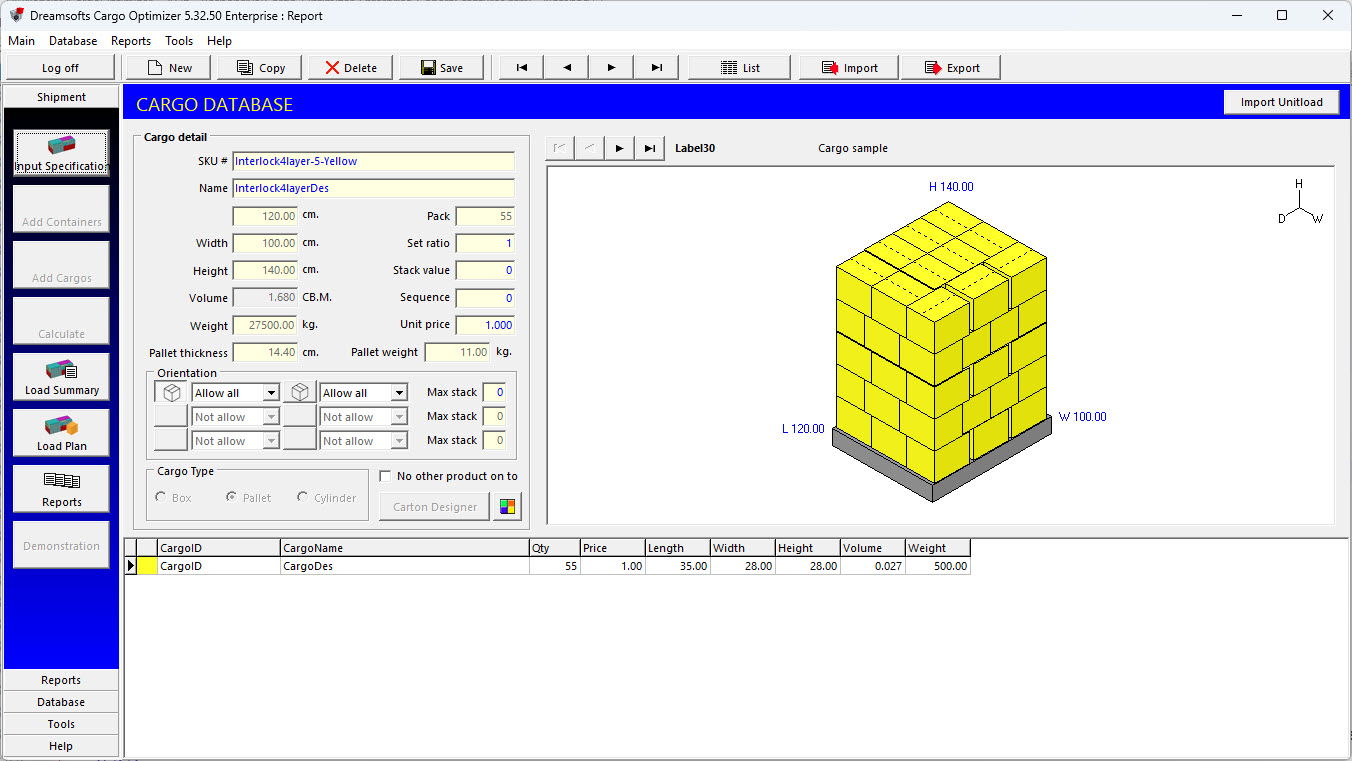
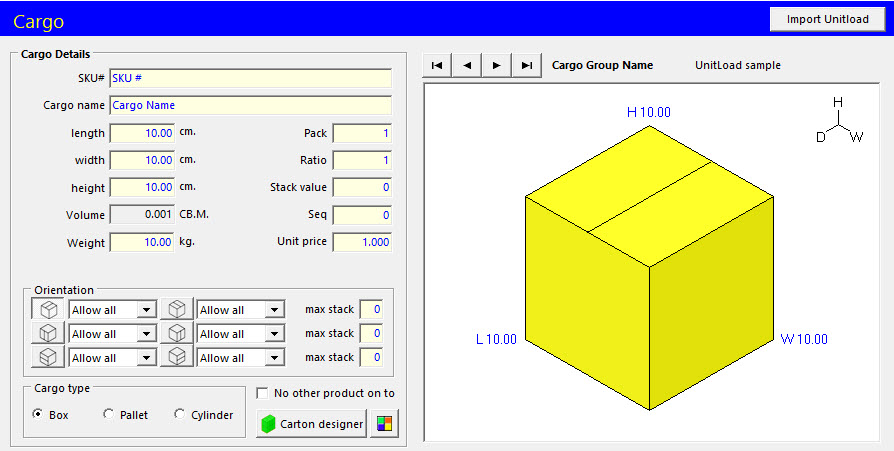
1. User can define SKU# and Cargo Name.
2. User can define dimension of cargo in length, width and height with automatic volume calculation.
3. User can define weight of cargo.
4. User can define pack (number of product in side) of cargo.
5. User can define max stack (maximum number of cargo that can be stacked on top of each cargo without breaking) of cargo.
|
|

|
|
|
6. User can define Stack value" (number of stack value (use for stack loading rule)).
7. User can define Sequence (number of priority (use for FILO loading)).
8. User can define Unit price (price of products per pieces).
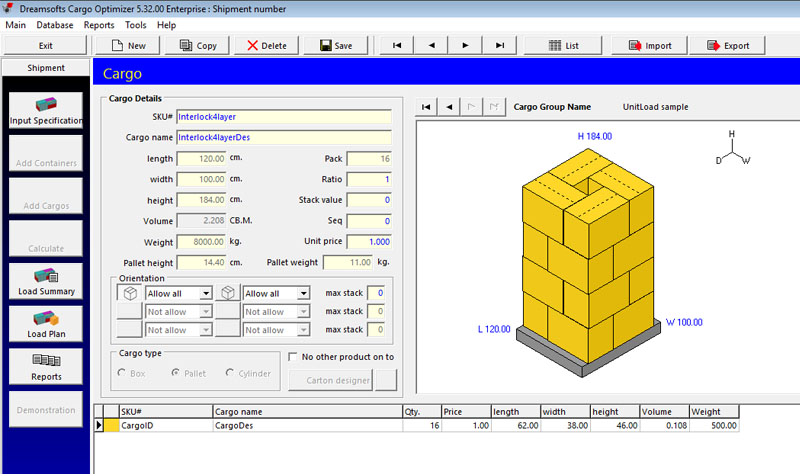
9. User can define Pallet height (height of pallet (for pallet and unitload)).
10. User can define Pallet weight (weight of pallet (for pallet and unitload)).
|
|

|
|
|
11. User can define orientations (six different ways in which a cargo can be loaded) of cargo. Enterprise version use "multiorientation" style. Each orientation can define from 4 modes (Allow all/Not allow/Floor only/Non floor only). Each cargo can set maximum 24 orientation styles.
12. User can define color of cargo for easier recognition in mix cargos loading.
|
|

|
|
|
13. User can define cargo type between box, pallet and Cylinder (UnitLoad is special type of pallet).
14. User can define No other product on top option to allow, or not allow other cargos to be placed on top of this cargo
15. User can view picture of cargo and copy to clipboard.
|
|

|
|
16. User can define Cargo group to make group of same kind cargos.
17. User can search to any cargo from database by use cargo list and search option.
|
|

|
|
|
18. User can import or export cargos database to other computer.
19. User can copy cargo details to new cargo.
|
|
20. User can import pallet design from Pallet Optimizer to Cargo Optimizer Enterprise/Network database.
|
|
|
|
| Top |
Container database |
|
|
|
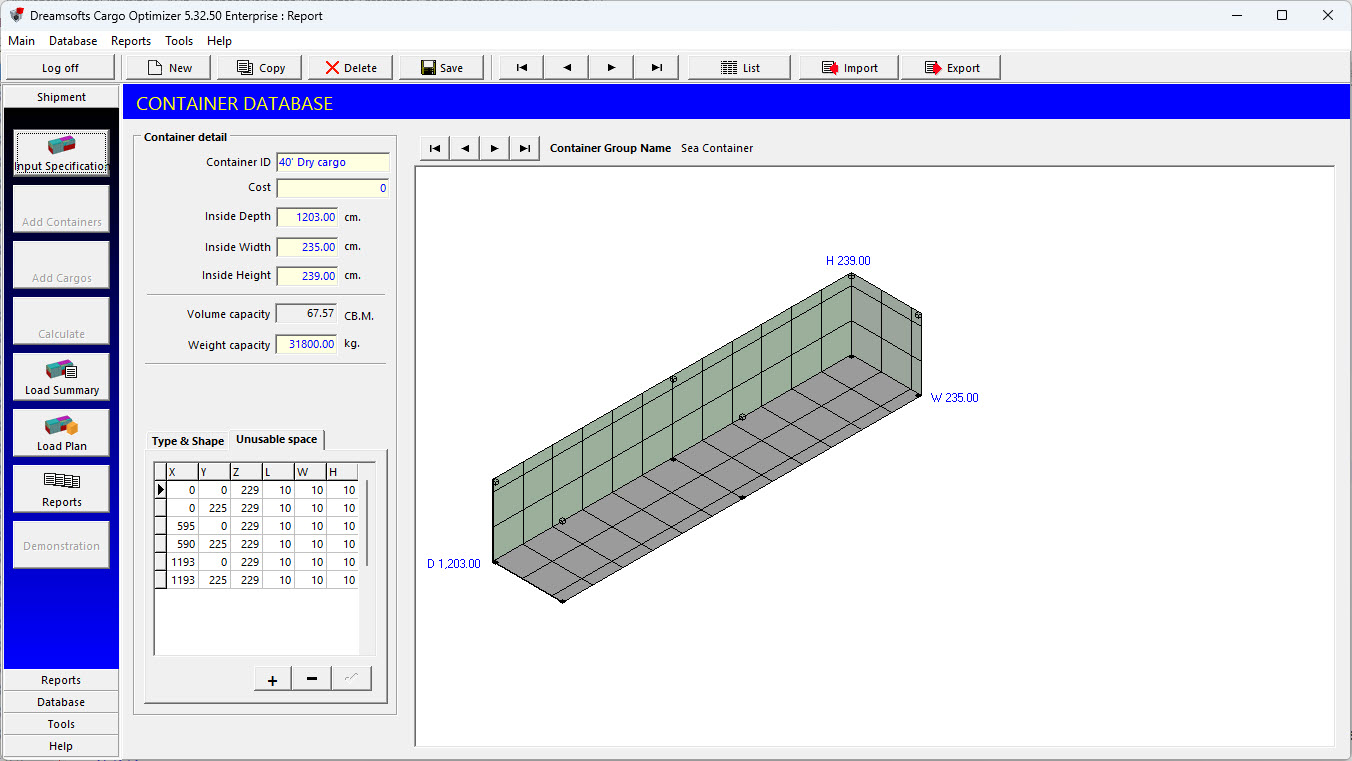
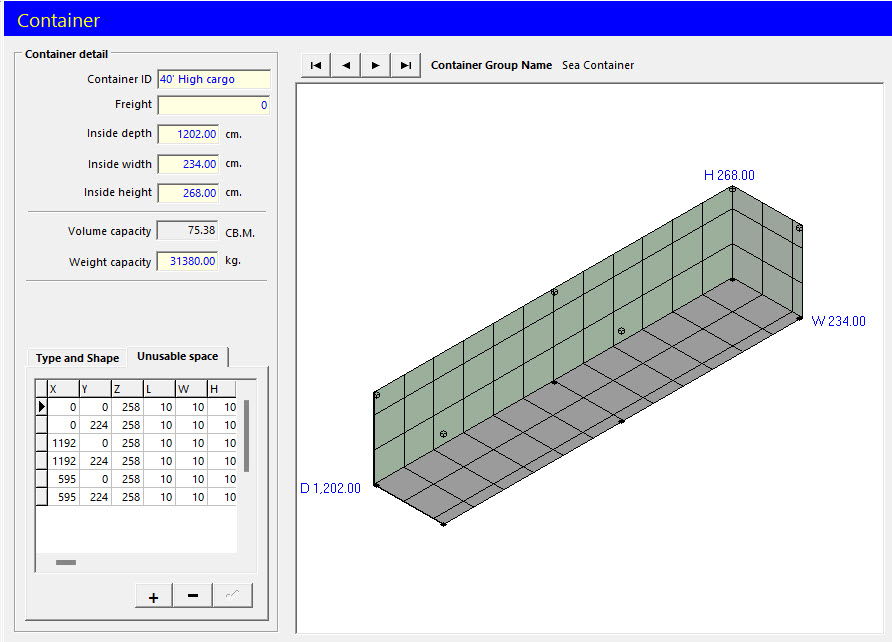
1. User can define Container ID.
2. User can define Freight.
3. User can define inside dimensions of container in depth, width and height with automatic volume capacity calculation.
|
|

|
|
|
4. User can define maximum weight capacity of container.
5. User can view picture of container and copy to clipboard.
6. User can define Pallet height (height of pallet (for pallet type container)).
7. User can define Pallet weight (weight of pallet (for pallet type container))
|
|

|
|
|
8. User can define Container group to make group of same kind containers.
9. User can search to any container from database by use container list and search option.
10. User can import or export containers database to other computer.
11. User can copy container details to new container.
|
|

|
|
|
12. User can define Container Type (Sea container/Air cotainer/Flat pallet/Pallet box).
13. User can define Container Shape and Slope size for non rectangular shape.
14. User can define Unusable space in container.
|
|
| Top |
Customer database |

|
|
|
1. User can define Name and Address.
2. User can search to any customer from database by use customer list and search option.
3. User can import or export customers database to other computer.
4. User can copy customer details to new customer.
|
|
| Top |
Input specfication |

|
|
|
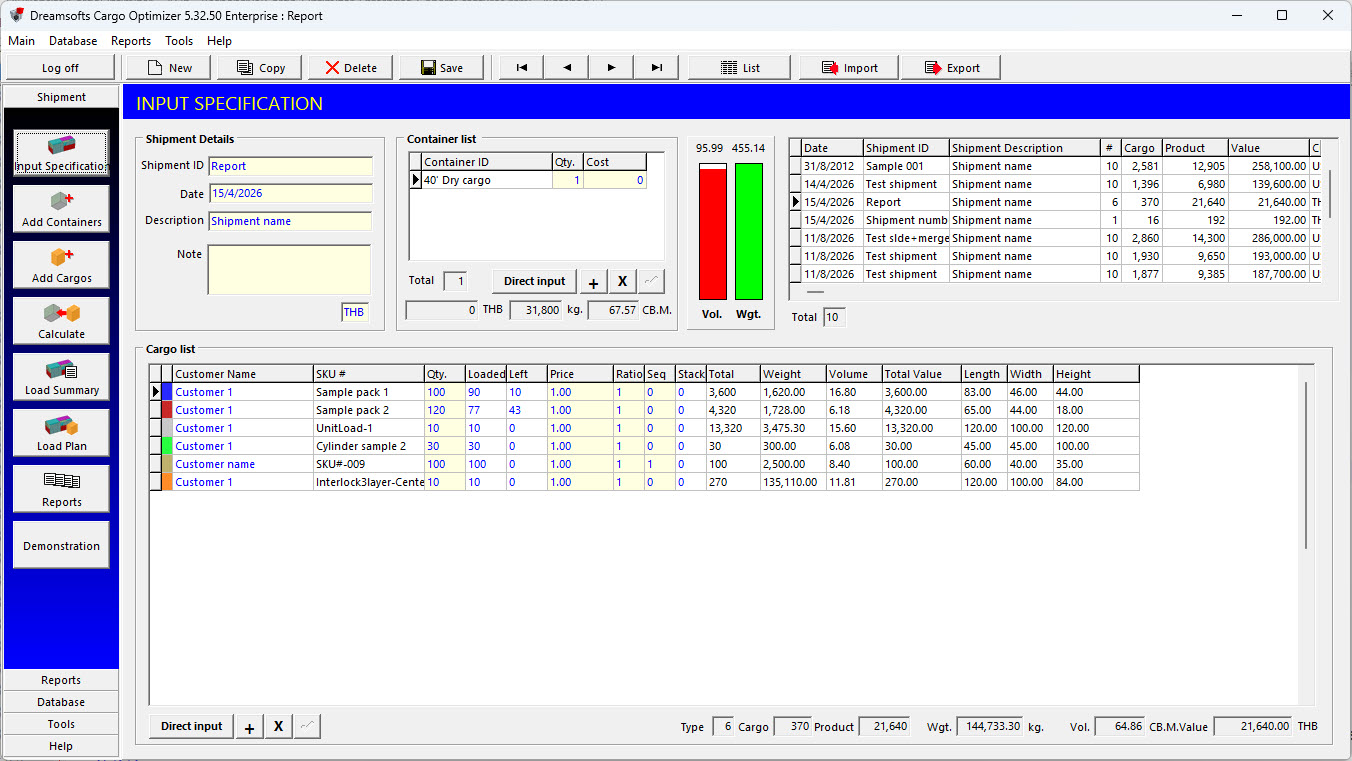
1. User can define Shipment ID, Date, Description, note and currency.
2. User can define containers and number of container to use to calculate (choose from database).
3. User can define cargos, seq (loading priority), quantity,unit price of cargo and customer (choose database).
4. Software comes with 2 graphs to show percentage of Volume and Weight of Cargos per Containers before loading for user decision.
5. User can search to any shipment from database by use shipment list and search option.
6. User can export whole shipment to one file and use to import to other computer by without same container, cargo or customer database.
7. User can copy shipment details to new shipment.
8. User can add Cargo and Container direct to shipment (don't choose from database) with our Direct Input system.
|
|
| Top |
Load summary |

|
|
|
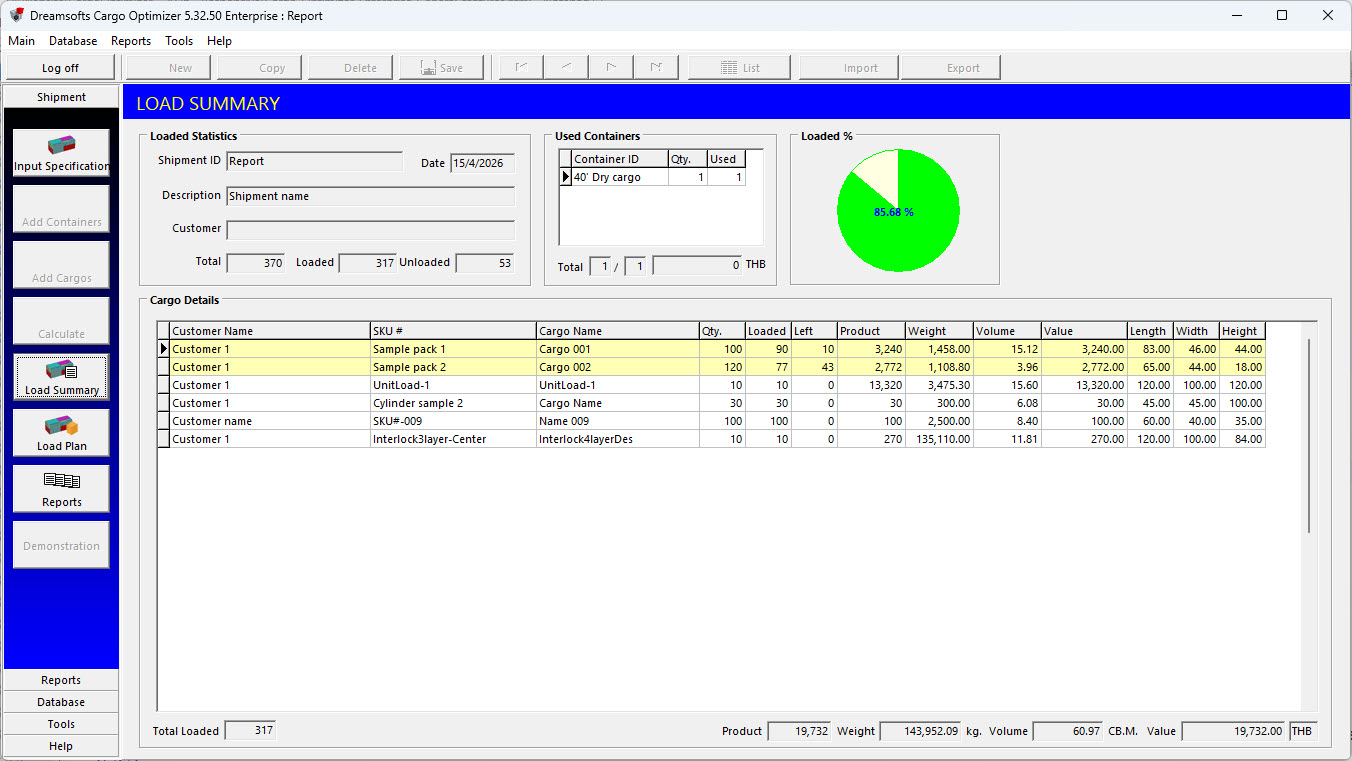
1. Load summary will show loaded statistic as number of used container and number of loaded and left cargo.
2. Loading output can be summarized both in costing and packing.
|
|
| Top |
Load plan |
|
|
|
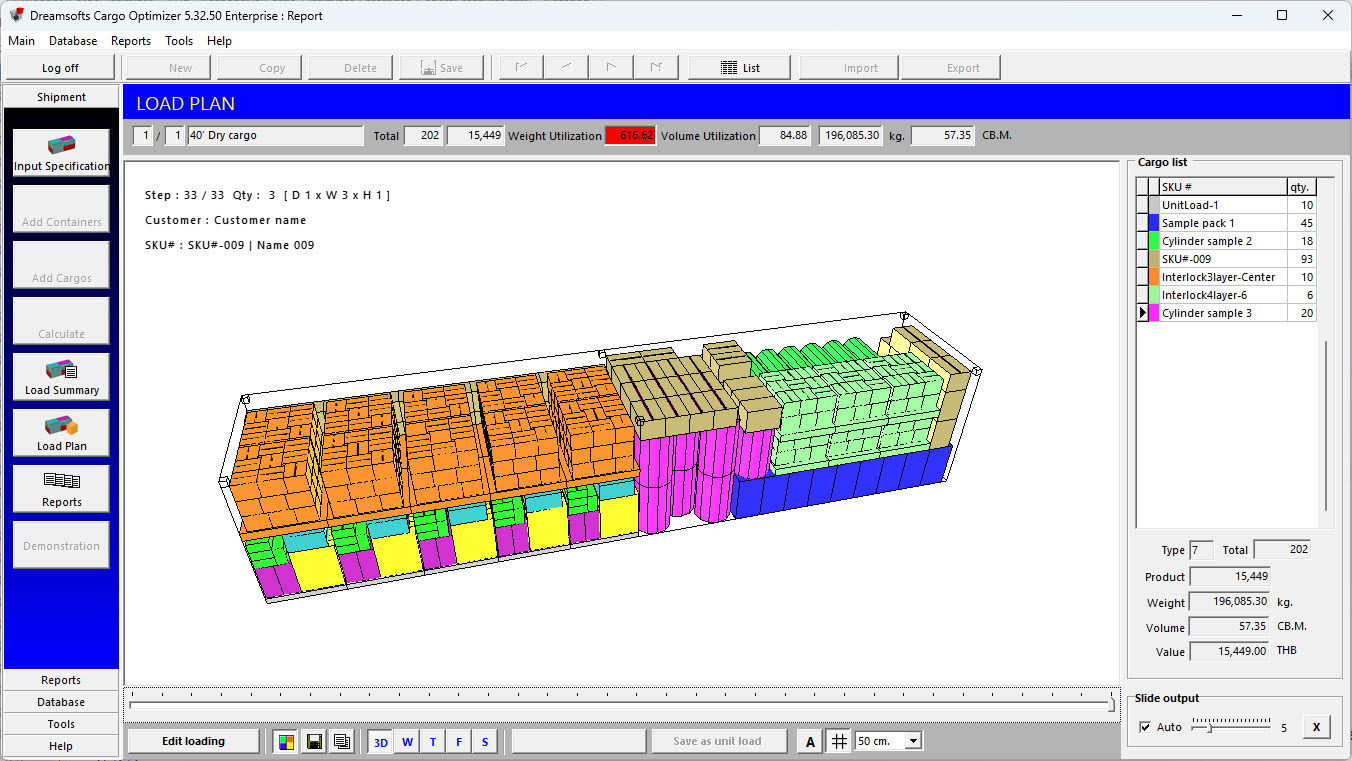
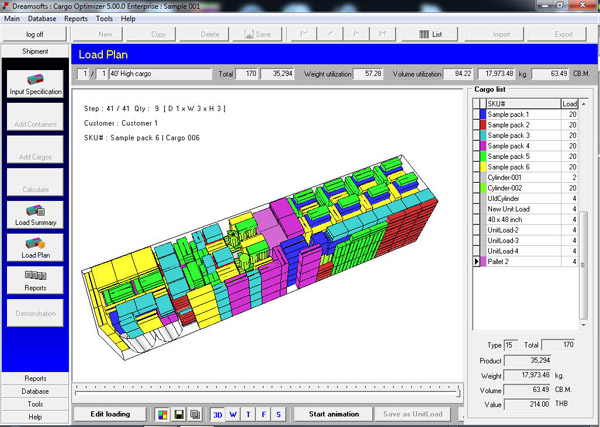
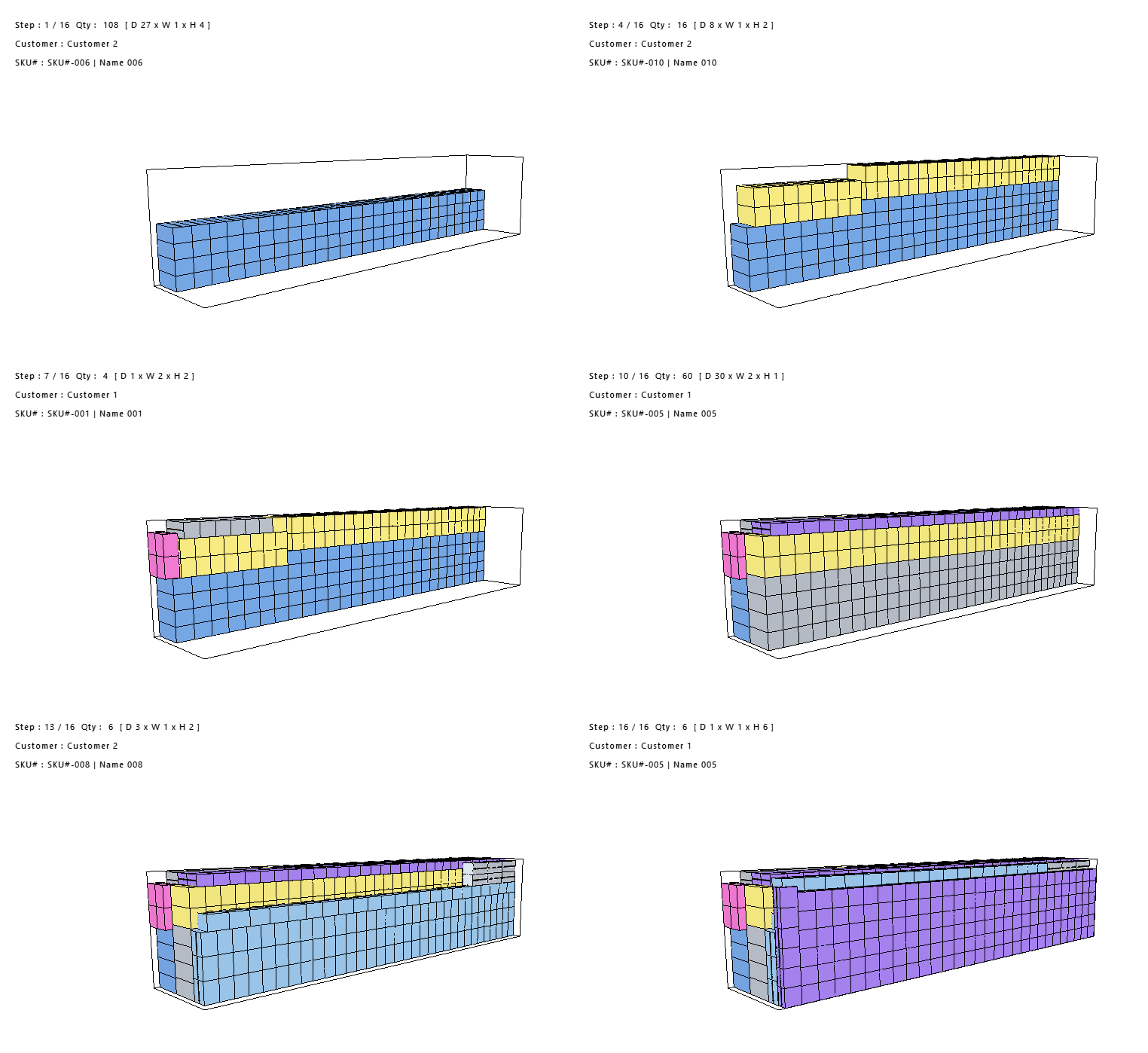
1. Load plan show loaded cargo in container as picture of loading step.
2. Load plan show details of loaded cargo (number of cargo, number of product, total weight, total volume and total value) in container and weight & volume utilization.
3. User can rotate loaded container view by drag mouse (only 3D view).
|
|

|
|
|
4. User can choose to display loading picture in color or black white and also has effect to picture in report.
5. User can choose to display square mesh and define size of mesh in container.
6. User can choose to show SKU# on cargo in loading picture.
7. User can save loading picture as picture file in bitmap or jpeg format.
8. User can copy loading picture to clipboard.
9. User can choose to zoom in/out loading picture.
10. User can set loading view as standard view and choose to back to this view.
|
|

|
|
|
11. User can choose to view in 3D, Perspective, Top, Front and Side view.
12. User can control loading animation and move to any loading step by yourself.
|
|

|
|
|
13. User can choose to show only selected cargo in loading picture (3D and Perspective view only).
14. User can choose to move to any containers in same shipment (in case of multicontainer loading).
|
|

|
|
|
15. User can view loaded cargo in weight distribution mode.
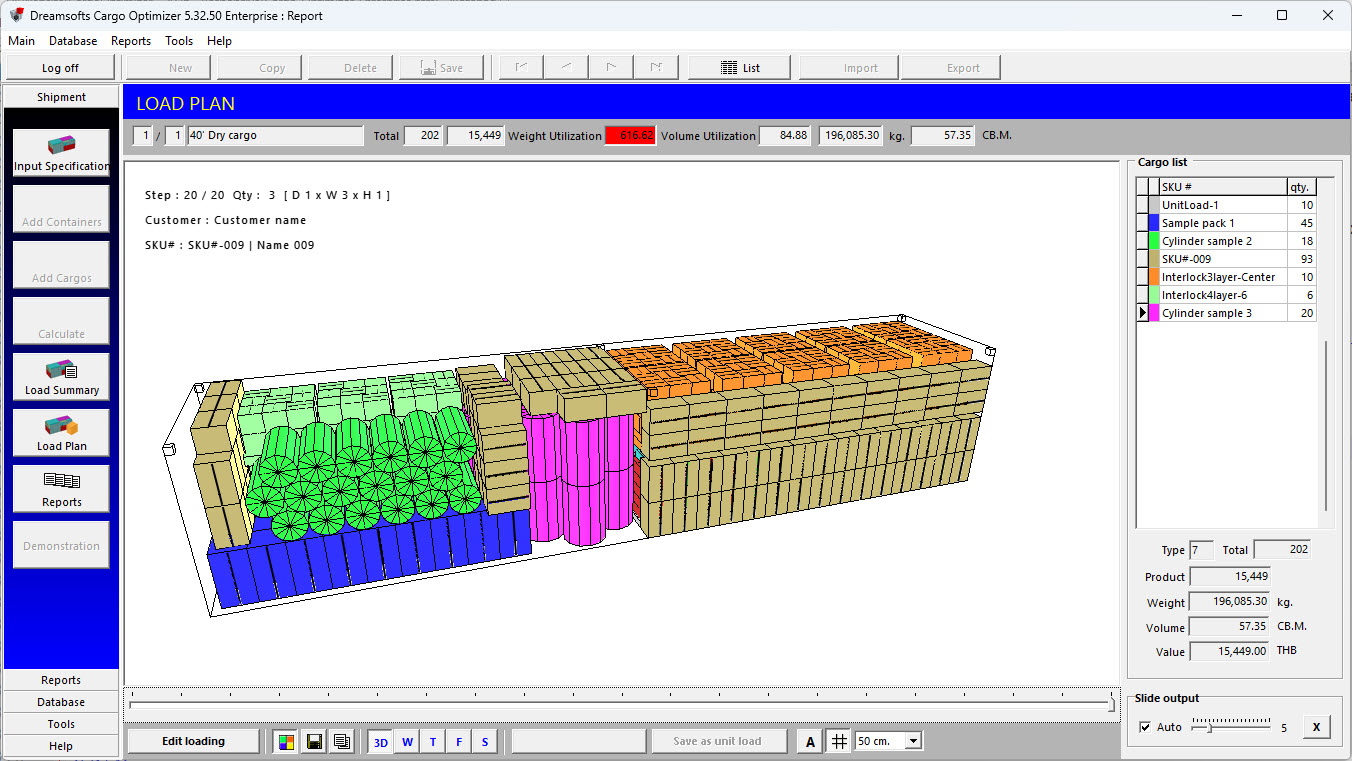
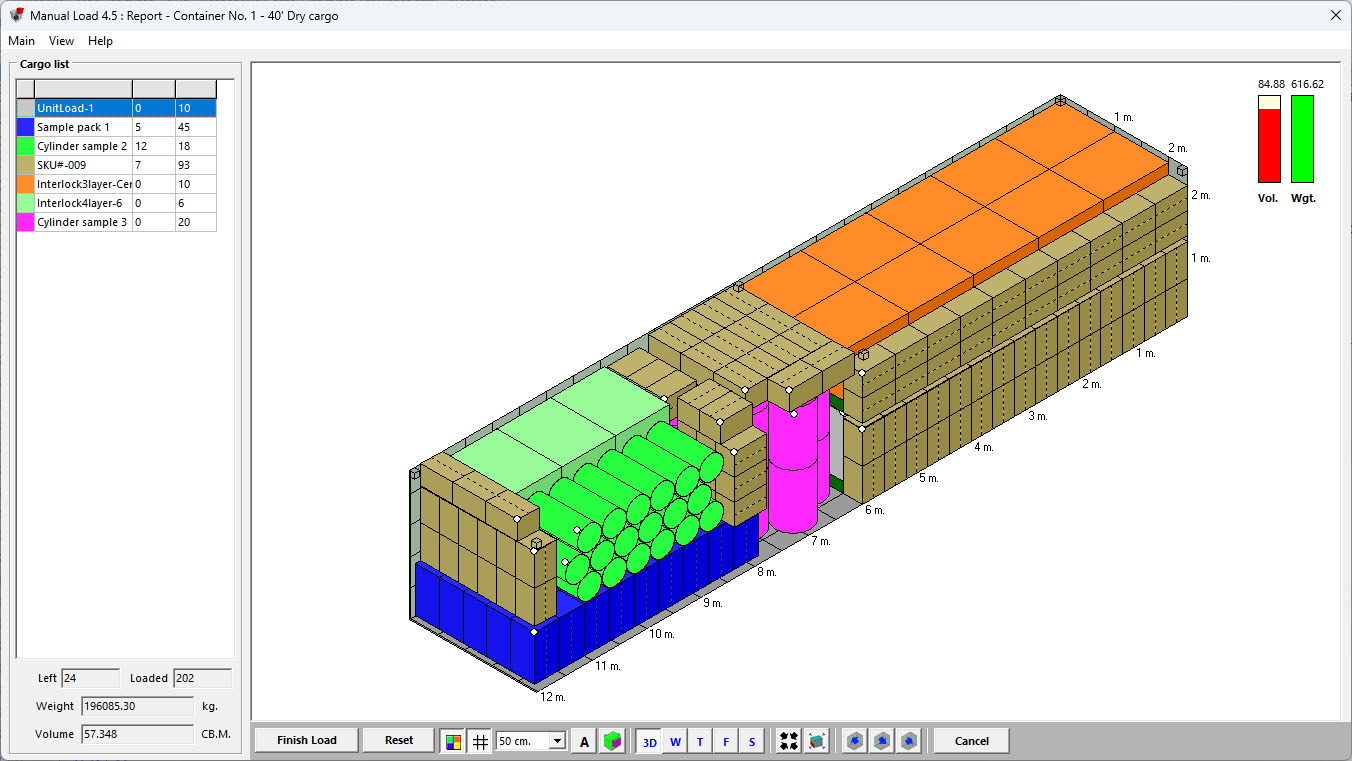
16. User can send any loaded container to re-arrange again in manual load.
|
|
|
|
|
send to re-arrange in manual load.
|
|
|
|
|
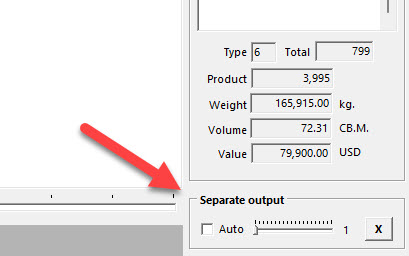
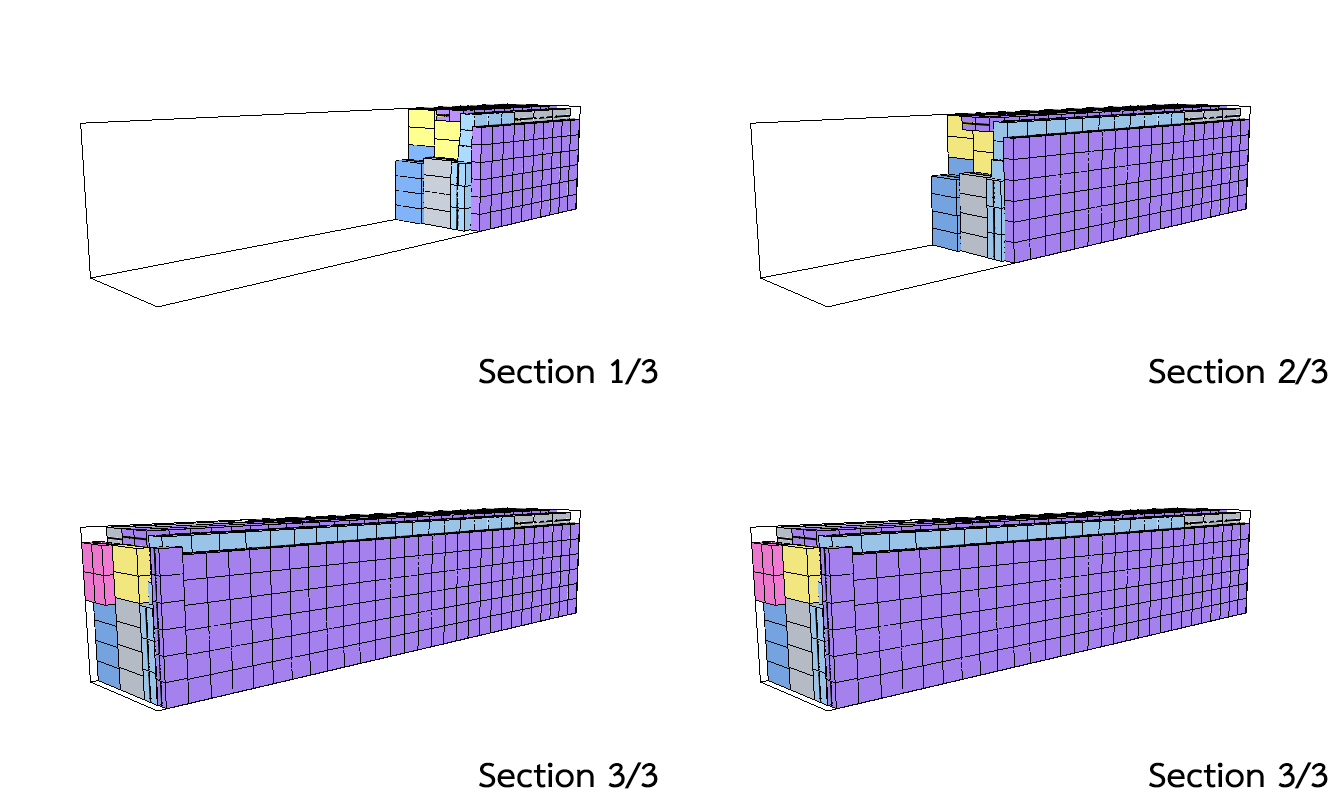
17. User can separate loading output in depth of container. In some loading case. Cargo will arrange to depth of container. This loading style very confuse to load in real life. We have option to cut (seperate) loading output as limit section.
|
|
|
|
|
User can define number of section or use automatic mode.
|
|
|
|
Normal loading output (along to depth)
|
|
|
|
Cut loading output with 3 sections
|
|
| Top |
Tools |

|
|
|
1. User can define User details to show on report header.
2. User can define LOGO to show on report header.
|
|
|
|
|
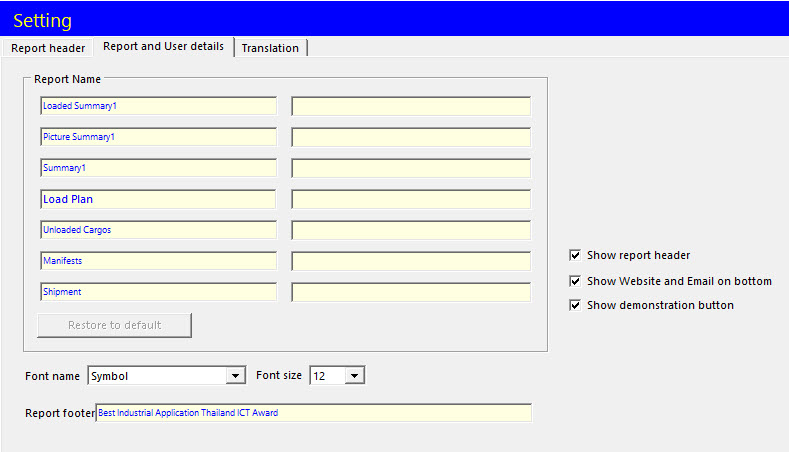
3. User can define report name, report footer and option to show or hide report header and website and email on bottom of report.
|
|

|
|
|
4. The software comes with "Unit converter" to convert dimension, weight and volume between Metric unit system and Imperial unit system.
|
|

|
|
|
5. The software comes with "Currency exchange" to exchange money to any currency by define rate exchange.
|
|
| Top |